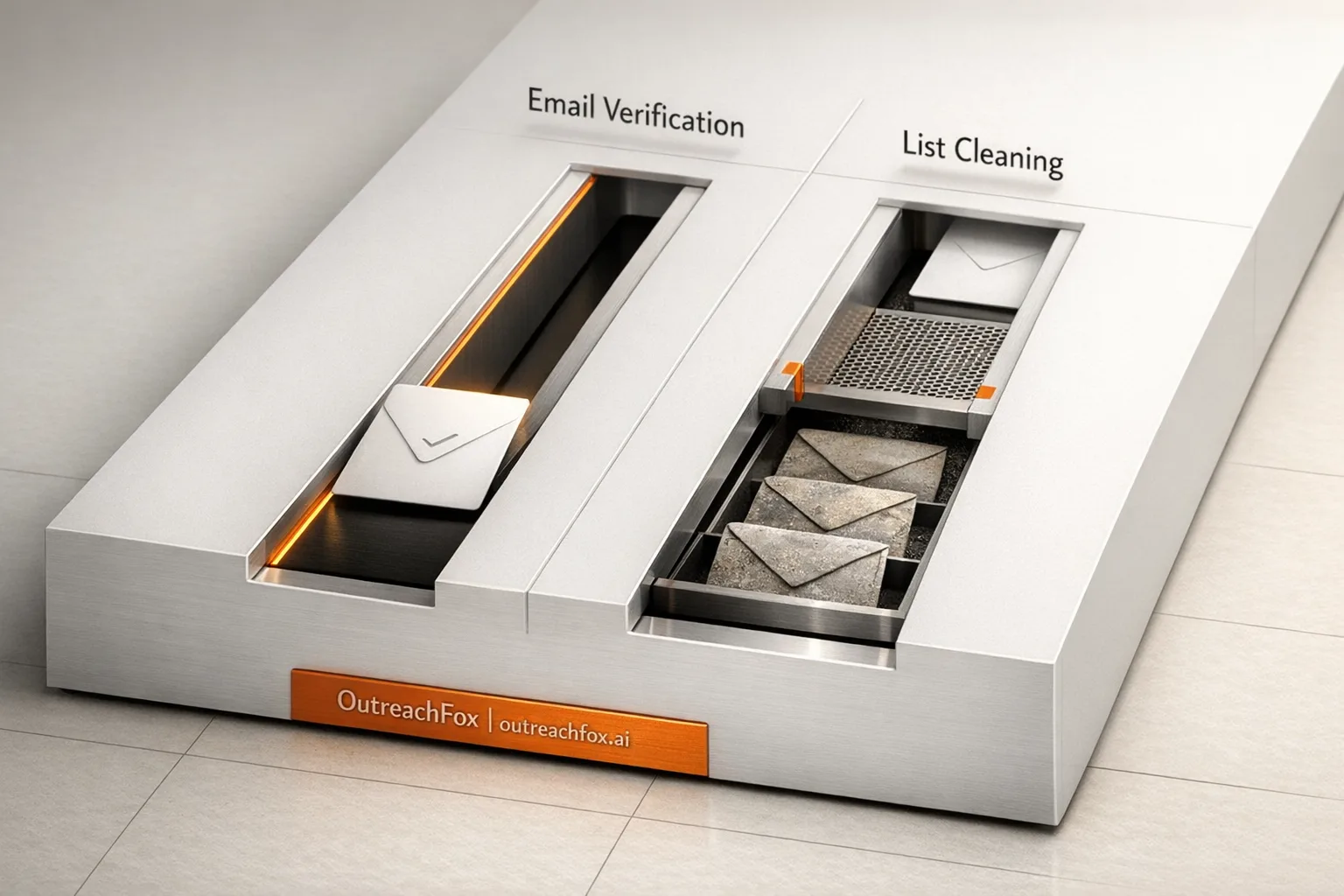
Email verification checks if addresses are valid before sending, while list cleaning maintains database health over time. Use verification for new contacts and cleaning for ongoing maintenance to protect sender reputation.
- Email verification validates addresses before sending to reduce bounces immediately
- List cleaning removes spam traps, inactive contacts, and duplicates from existing databases
- Verify fresh leads at capture and schedule quarterly cleaning for legacy lists
- High bounce rates indicate your list needs both verification and cleaning
- Combining both processes protects sender reputation and maintains 98% delivery rates
- Use real-time API verification for form submissions and bulk tools for imports
Email Verification vs. List Cleaning: What You Need
If you're sending cold emails, the quality of your email list can make or break your campaign. Invalid or outdated addresses lead to high bounce rates, damage your sender reputation, and can even land you on a blacklist. Two key processes - email verification and list cleaning - help solve this problem, but they serve different purposes:
- Email Verification: A one-time check to confirm if an email address is valid, active, and safe to send to. It reduces bounces and ensures deliverability.
- List Cleaning: A regular process to maintain list health by removing invalid addresses, spam traps, and inactive contacts over time.
Quick Overview:
- When to Use Email Verification: Immediately after building a new list or capturing leads in real time.
- When to Use List Cleaning: Periodically for older databases, merged lists, or before launching major campaigns.
- Key Tools: ZeroBounce, NeverBounce (verification); Mailshake, Reply.io (cleaning).
The takeaway: Use email verification for new contacts and list cleaning for ongoing database maintenance. Together, they protect your sender reputation and keep your campaigns effective.
Email Verification: What It Is and How It Works
What Is Email Verification?
Email verification is a process that ensures an email address is valid, active, and safe to use before sending a message. Think of it as a pre-send quality check that helps confirm the address exists and won’t bounce back. This isn’t about ongoing maintenance - it’s a one-time check to ensure the email is ready to go.
Why does this matter? Hard bounces can harm your sender reputation. When emails bounce, it raises red flags with ISPs, increasing the chances that even your best-crafted emails end up in spam folders. That’s why accuracy in verification is critical.
How Email Verification Works
Email verification involves multiple steps rather than a single check. Here’s a look at the key processes involved:
| Check | Purpose |
|---|---|
| Syntax Validation | Ensures the email is formatted correctly, with no missing "@" or invalid characters. |
| MX Record Check | Confirms the domain has active mail exchange (MX) records, meaning it can receive emails. |
| SMTP Validation | Communicates with the recipient’s mail server to verify the mailbox exists. |
| Spam Trap Detection | Identifies "honeypot" addresses used by ISPs to catch senders with poor data practices. |
| Disposable Email Detection | Filters out temporary or throwaway addresses that are likely to bounce or quickly become inactive. |
Some advanced tools even address graylisting, where certain mail servers temporarily reject emails from unknown senders. These tools ensure accurate results without falling for false negatives.
This multi-layered approach ensures that only high-quality addresses make it through, making timely verification an essential step in email marketing.
When to Use Email Verification
The best time to verify email addresses is immediately after building or importing a prospect list. Running a verification check right after importing ensures you don’t start with bad data.
For real-time lead capture, API-based verification is a game-changer. When someone submits a form on your landing page or website, the API can instantly catch typos or fake addresses, keeping your list clean from the start.
Tools for Email Verification
Several platforms specialize in email verification, offering both bulk list uploads and real-time API options. Popular choices include ZeroBounce, NeverBounce, and BriteVerify. These tools focus on minimizing hard bounces and improving inbox placement, helping achieve delivery rates as high as 98%.
Daniel Meck, Head of Sales at Moosend, shared his experience with Snov.io’s built-in verifier:
"Snov.io's accuracy is significantly more trustworthy and consistent than that other products we have invested in."
Some outreach platforms, like OutreachFox, take it a step further by integrating email verification directly into their workflows. This means emails are verified as they’re sourced, alongside other data enrichment processes.
While email verification ensures each address is valid at the time of sending, maintaining list health over the long term requires regular cleaning - something we’ll dive into next.
List Cleaning: Maintaining Email List Health Over Time
What Is List Cleaning?
List cleaning is an ongoing effort to ensure your email contact list remains in good shape. Unlike one-time email verification, this process involves consistently removing invalid addresses and managing issues like bounces, unsubscribes, spam complaints, and outdated contacts in your CRM system. Let’s dive into the key actions that keep your list in tip-top shape.
Key Components of List Cleaning
At its core, list cleaning includes several important tasks:
- Removing non-existent mailboxes: Invalid addresses can harm your sender reputation.
- Suppressing complainers: Contacts who mark your emails as spam should be filtered out to avoid potential domain blacklisting.
- Filtering spam traps: These are fake addresses designed to catch spammers, and keeping them on your list can lead to serious deliverability issues.
- Re-verifying outdated contacts: People change jobs, and email addresses often get deactivated. Regular re-verification helps you stay ahead of these changes.
Automated tools can also identify out-of-office replies and other inactive leads, ensuring your active campaigns aren’t bogged down by irrelevant addresses. Suppressing complainers, in particular, is a step that many overlook, but it's vital for safeguarding your domain's reputation.
Tools for List Cleaning
Some tools streamline this process by integrating list cleaning directly into outreach workflows. For example, Mailshake simplifies the process by combining list cleaning with its email outreach features. Shane Hickenlooper, CEO of Scroll, highlights its ease of use:
"It's just so easy to use. I love that it shows me the sending calendar and cleans the list for me, making sure they're good leads."
This kind of automation is especially helpful for managing older or merged contact lists without overwhelming manual effort.
When List Cleaning Is Necessary
Certain scenarios make list cleaning an absolute must. Two common situations include:
- Re-engaging a legacy CRM: Older databases can be risky. For example, a list that hasn’t been updated in 18 months may have 20–30% invalid addresses due to job changes or deactivated accounts. Using such a list without cleaning can lead to high bounce rates.
- Merging contact lists: Combining lists from multiple sources often introduces duplicates, spam traps, and invalid addresses. Without cleaning, these issues can quickly harm your sender reputation.
Regular maintenance ensures your email campaigns remain effective and your domain’s reputation stays intact. By addressing these challenges proactively, you can avoid the pitfalls of outdated or poorly managed contact lists.
How to Clean your Email List using Email Validation Platforms? | SendMails.io
Email Verification vs. List Cleaning: Key Differences and Use Cases
Core Differences Between the Two Processes
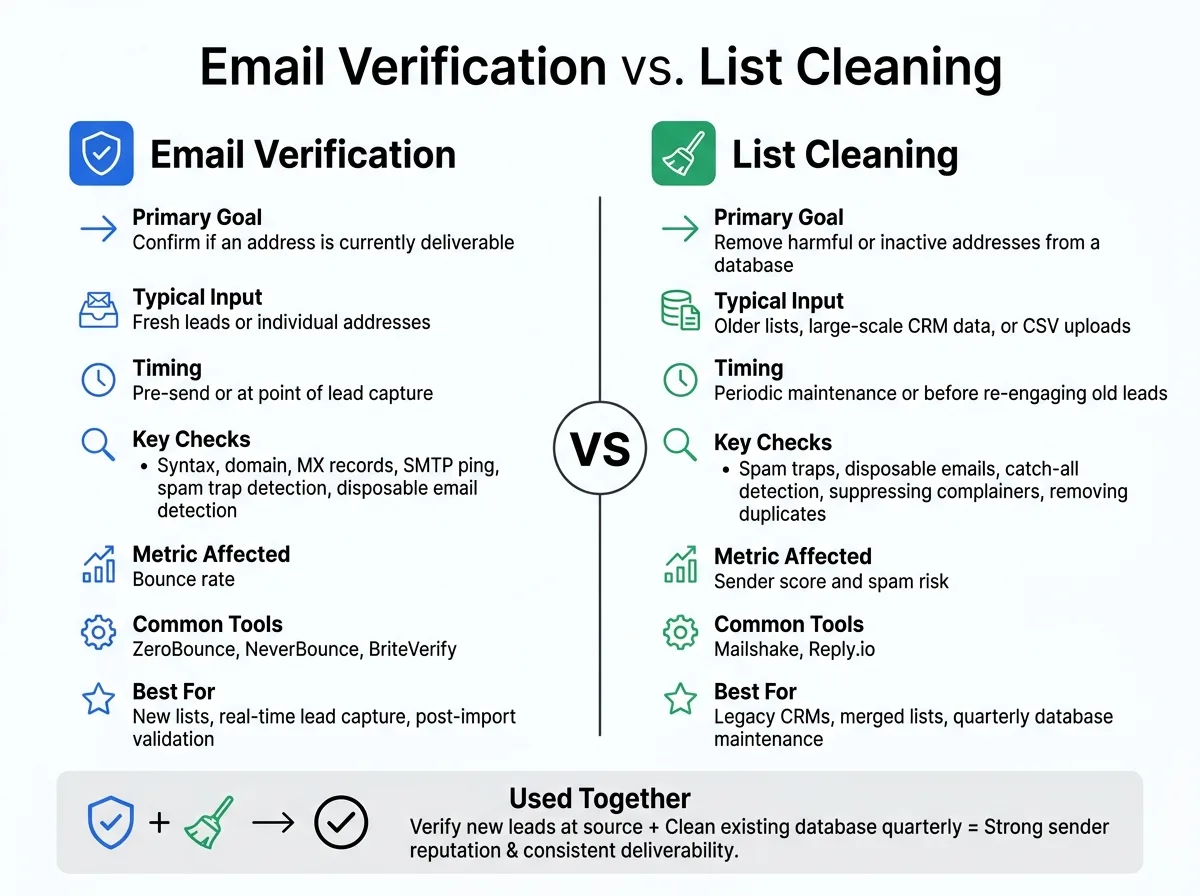
At their core, email verification and list cleaning serve different purposes. Email verification is like a pre-flight check, ensuring that each address is valid and deliverable right before sending a campaign or at the moment of lead capture. On the other hand, list cleaning is more about long-term maintenance, keeping your database healthy over time by removing problematic entries.
Verification focuses on reducing hard bounces, while list cleaning safeguards your sender reputation and ensures better inbox placement over the long haul. These differences dictate when and how each method should be used.
Use Cases for Each Approach
Understanding when to use email verification versus list cleaning can make a big difference in your email strategy.
Email verification is ideal for fresh leads, especially those collected through platforms like LinkedIn or AI-powered lead generation tools. At this stage, the priority is to confirm that the email addresses are real and active. Tools like ZeroBounce and NeverBounce are designed for this, helping you validate addresses before sending your first email.
List cleaning, on the other hand, is better suited for older or combined databases. This process helps remove spam traps, duplicates, and inactive entries. For instance, spam traps or role-based addresses like info@ or support@ may pass basic validity checks but can still harm your deliverability. A thorough cleaning process that includes catch-all detection, spam trap filtering, and removing complainers can significantly improve your results.
Comparison Table
| Feature | Email Verification | List Cleaning |
|---|---|---|
| Primary Goal | Confirm if an address is currently deliverable | Remove harmful or inactive addresses from a database |
| Typical Input | Fresh leads or individual addresses | Older lists, large-scale CRM data, or CSV uploads |
| Timing | Pre-send or at point of lead capture | Periodic maintenance or before re-engaging old leads |
| Key Checks | Syntax, domain, MX records, SMTP ping | Spam traps, disposable emails, catch-all detection |
| Metric Affected | Bounce rate | Sender score and spam risk |
| Common Tools | ZeroBounce, NeverBounce, BriteVerify | Mailshake, Reply.io |
Final Thoughts
While these two processes serve different purposes, they complement each other perfectly. For most outbound teams, the best approach is to verify new leads at the source and schedule regular list cleaning for your existing database. A good rule of thumb is to clean your list before major campaigns or at least quarterly for active databases. Together, these practices create a strong foundation for managing both new and legacy email data effectively.
How to Choose and Use Both for Better Results
Factors to Consider When Choosing
Start by assessing the condition of your email list. If your contacts come from older or less reliable sources, it's crucial to clean the list thoroughly to remove spam traps and inactive addresses before launching a campaign. On the other hand, if you're working with fresh leads collected in real time - like those from prospecting tools or LinkedIn - immediate email verification is the way to go.
A high bounce rate is a red flag. It often means your list needs extra attention, whether through verification, cleaning, or both. For large-scale outreach campaigns, using both processes becomes essential to safeguard your sender reputation. These steps help you decide how to incorporate verification and cleaning into your workflow effectively.
Adding Verification and Cleaning to Your Workflow
To keep your email operations smooth, verify every new CSV upload or CRM sync using a bulk verifier. This ensures that only valid contacts are added to your sequences. Additionally, keep your CRM updated by syncing suppression lists to reflect bounces and unsubscribes. For older contacts - those inactive for 90 days or more - schedule a quarterly list cleaning to maintain list health.
If you're working with a new domain or mailbox, don't skip the warmup process. A 14-day warmup period using a peer-to-peer network is essential before sending high volumes of emails. Jumping straight into heavy sending without this step can harm your domain's reputation quickly.
Recommended Tools and Platforms
Once you've defined your needs, select tools that simplify both verification and cleaning. For standalone email verification, platforms like ZeroBounce and NeverBounce are reliable for one-time bulk tasks. However, if your team handles ongoing, large-scale outbound campaigns, an integrated platform can make your workflow much easier.
For example, OutreachFox is tailored for such scenarios. It combines email verification with automated SPF/DKIM/DMARC configuration, warmup profiles optimized for industry standards, and enrichment across over 50 providers. This all-in-one approach ensures that your verification and infrastructure setup work seamlessly, saving you from juggling multiple tools.
For smaller teams, Snov.io is another excellent option. With a G2 rating of 4.5/5 and over 400,000 users, it offers an integrated solution for lead generation and email verification without requiring extensive infrastructure. Whether you need a one-time cleaning tool or a system that ensures data health throughout your campaigns, the right choice depends on your specific requirements and scale of operations.
Conclusion: Picking the Right Strategy for Your Campaigns
Balancing email verification and list cleaning is crucial for addressing data quality issues in outbound campaigns. Each process serves a specific purpose, but together, they provide strong protection for your sender reputation.
Email verification focuses on identifying invalid addresses before they enter your workflows, while list cleaning removes problematic data that builds up over time. Combining these methods ensures consistent deliverability and keeps your campaigns on track.
The right approach depends on your database and campaign goals. For fresh leads, real-time verification is essential. On the other hand, older or neglected lists require a thorough cleaning cycle before launching new campaigns. Tools like ZeroBounce and NeverBounce, with their 98% accuracy rates, can significantly improve delivery rates.
"Validate emails before you send so your messages land in the inbox, not the spam folder." - Reply.io
To maintain strong deliverability, adopt best practices like verifying every new contact upon import, scheduling regular list cleanings, and sticking to warmup routines. The tools you choose should fit your workflow - standalone verifiers like ZeroBounce are great for bulk tasks, while integrated platforms that include verification, warmup, and other features can simplify ongoing campaign management. These thoughtful strategies help ensure your messages consistently reach their audience.
Frequently asked questions
Can I use email verification alone without list cleaning for cold email campaigns?+
No, verification alone is not sufficient. Email verification confirms an address is valid at a specific point in time, but list cleaning removes spam traps, complainers, and inactive contacts that accumulate over time. While verification reduces immediate bounces, only regular list cleaning protects your long-term sender reputation and prevents spam complaints that can blacklist your domain.
What happens to email addresses between 90 days and 18 months that makes list cleaning necessary?+
Email addresses become invalid over time as people change jobs and accounts get deactivated. A list unused for 18 months can contain 20-30% invalid addresses due to job changes and deactivated accounts. This is why quarterly list cleaning is recommended for older contacts, and lists inactive for 90+ days should be re-verified before use.
Why do verified emails that passed syntax and MX checks still need list cleaning?+
Some problematic addresses pass basic verification checks but still harm deliverability. Role-based addresses like info@ or support@ and spam traps may be technically valid and pass SMTP validation, but they increase spam risk and damage sender reputation. List cleaning specifically filters these risky address types that verification alone cannot catch.
Should I verify emails immediately when someone submits a form on my website?+
Yes, real-time API-based verification at the point of lead capture is recommended. When someone submits a form on your landing page or website, API verification can instantly catch typos or fake addresses, preventing bad data from entering your list from the start. This approach is more effective than trying to clean invalid addresses later.
How does merging contact lists from multiple sources create specific problems that require list cleaning?+
Combining lists from multiple sources introduces duplicates, spam traps, and invalid addresses that can quickly harm sender reputation. Merged lists often contain conflicting data quality standards from different sources, making them particularly risky to use without thorough cleaning that removes these problematic entries before sending campaigns.
What is the 14-day warmup period mentioned for new domains, and why is it necessary?+
Before sending high volumes of emails from a new domain or mailbox, you need a 14-day warmup period using a peer-to-peer network. Jumping straight into heavy sending without this warmup can quickly harm your domain's reputation. This gradual increase in sending volume helps establish your domain as a legitimate sender with ISPs.
What specific checks does list cleaning perform that email verification does not?+
List cleaning includes catch-all detection, spam trap filtering, removing complainers who marked emails as spam, suppressing out-of-office addresses, and filtering disposable emails. While verification checks syntax, domain, MX records, and SMTP validation, cleaning focuses on protecting sender score and spam risk by removing addresses that passed verification but still pose deliverability threats.