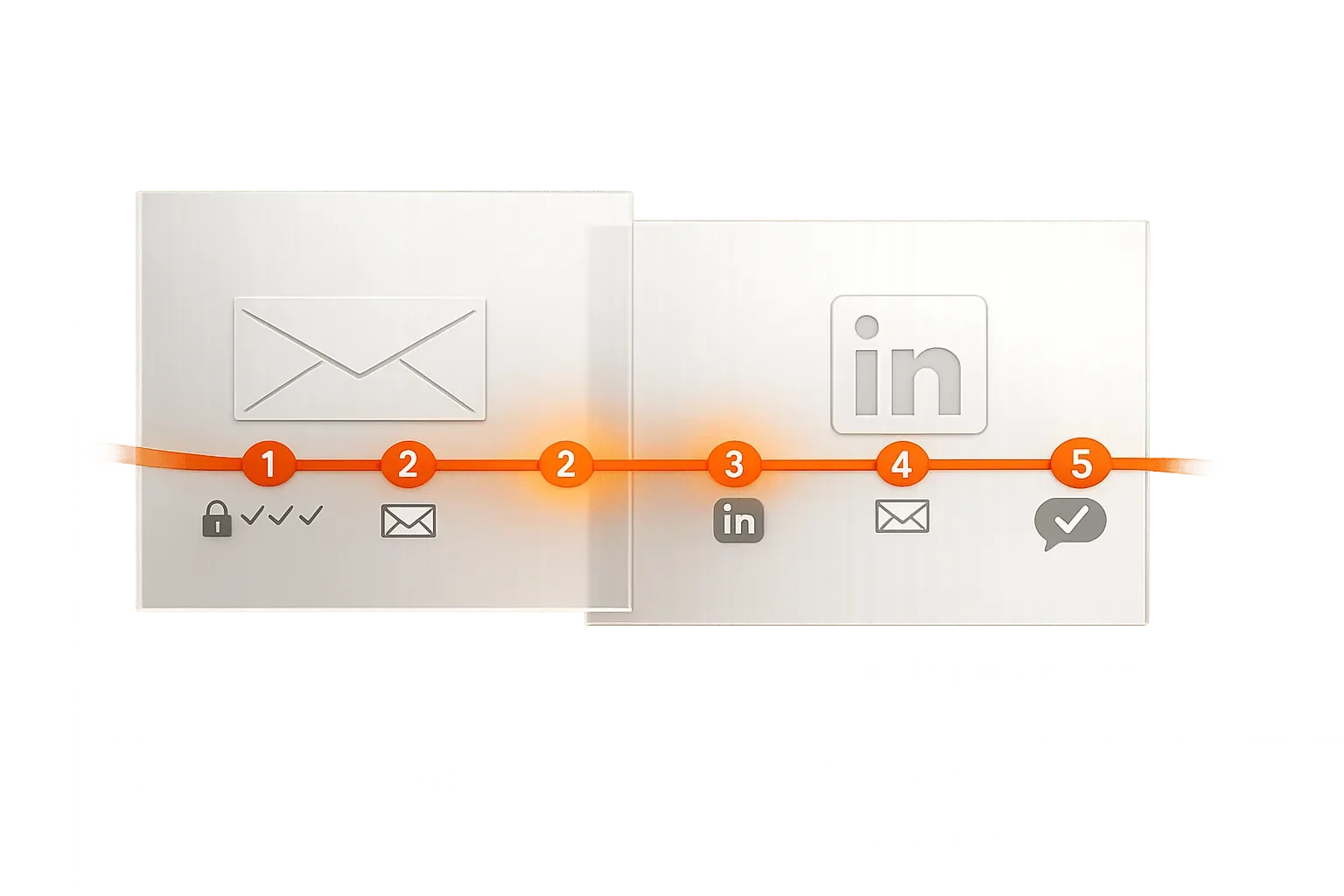
Multichannel outreach using email and LinkedIn with conditional logic improves response rates by up to 40% compared to single-channel campaigns. Success requires authenticated domains, warmed accounts, verified leads, and adaptive sequences
- Multichannel outreach boosts response rates up to 40% over single-channel efforts
- Warm up email accounts for 14 days and limit LinkedIn requests to 20-25 daily
- Use conditional logic to trigger LinkedIn actions when emails go unanswered
- A 7-step sequence over 15 days balances email detail with LinkedIn engagement
- Authenticate domains with SPF, DKIM, and DMARC to protect email deliverability
- Track metrics like connection acceptance and reply rates to optimize performance
How to Set Up Multichannel Outreach: Email and LinkedIn
Multichannel outreach combines platforms like email and LinkedIn to engage prospects more effectively. Instead of sending the same message everywhere, it uses conditional logic to create tailored interactions based on user behavior. For example, if someone opens your email but doesn't respond, you might follow up with a LinkedIn connection request. This approach improves response rates by up to 40% compared to single-channel efforts.
Key Benefits of Combining Email and LinkedIn:
- Email: Great for detailed, direct communication but often lost in cluttered inboxes.
- LinkedIn: Builds personal connections through profile views, connection requests, and engagement.
Steps to Set Up Multichannel Outreach:
- Prepare Your Accounts: Create secondary email domains, configure SPF/DKIM/DMARC, and warm up new email accounts for 14 days.
- Choose Tools: Use platforms like OutreachFox or Lemlist for sequencing, along with tools for data enrichment, email warmup, and CRM integration.
- Build a Sequence: Design a 7-step outreach plan, starting with LinkedIn actions (e.g., profile visits) and following up with emails and connection requests.
- Launch Campaigns Safely: Set daily limits (20–30 emails/day, 20–25 LinkedIn requests/day) and monitor metrics like open rates and connection acceptance rates.
- Maintain Deliverability: Authenticate domains, verify prospect lists, and warm up mailboxes to avoid spam issues.
Sample Sequence Example:
- Day 1: LinkedIn profile visit
- Day 2: Send a personalized email
- Day 4: LinkedIn connection request
- Day 6: LinkedIn message if the connection is accepted
- Day 9: Email follow-up
- Day 12: Engage with LinkedIn content
- Day 15: Send a final email nudge
Setting Up the Foundation for Multichannel Outreach
Infrastructure and Accounts You Need
Before diving into outreach, it's critical to establish a strong technical setup. Start by creating secondary email domains to safeguard your primary domain's reputation. To ensure these domains function properly, configure three key DNS records: SPF, DKIM, and DMARC. These records authenticate your emails and significantly lower the risk of them being flagged as spam. Tools like OutreachFox can simplify this process by automating the setup during mailbox provisioning, which is especially useful for teams new to cold outreach.
On LinkedIn, you'll need a standard personal account to begin. However, upgrading to LinkedIn Sales Navigator is highly recommended if you're targeting specific roles, industries, or company sizes. Its advanced filters allow for precise prospecting and better integration with most outreach tools.
For new email accounts, a 14-day warmup period is essential to build a strong sender reputation. This involves using peer-to-peer email networks to establish trust. Skipping this step can lead to your emails being marked as spam right from the start. Learn more about proper domain warmup protocols that actually work.
Once your accounts are ready, the next step is selecting tools to streamline and manage your outreach efforts.
Choosing Your Tech Stack
When it comes to tools, you'll need to decide between all-in-one platforms or piecing together separate tools. While separate tools, like Apollo.io for data, Lemlist for email sequences, and a standalone LinkedIn automation tool, offer flexibility, they can lead to higher costs and synchronization issues. On the other hand, an all-in-one platform like OutreachFox simplifies operations by combining email infrastructure, LinkedIn workflows, warmup processes, data enrichment from over 50 providers, and a unified inbox - all in one place.
Here are the main tool categories you'll need:
| Category | Function | Example Tools |
|---|---|---|
| Multichannel Sequencing | Manages email and LinkedIn workflows together | OutreachFox, Lemlist, Reply.io |
| Data & Enrichment | Finds and verifies contact details | Apollo.io, OutreachFox (50+ providers) |
| Email Warmup | Builds trust for new domains | Mailreach, built-in warmup in OutreachFox |
| CRM Integration | Syncs lead data and tracks deals | HubSpot, Salesforce, Pipedrive |
No matter which tools you choose, ensure your outreach platform integrates seamlessly with your CRM. Without this connection, you risk duplicate outreach and a lack of clarity on prospect progress. For a comprehensive comparison of modern solutions, check out the best cold outreach tools for B2B teams.
After assembling your stack, focus on configuring essential settings before launching your campaign.
Pre-Launch Configuration Checklist
Timing and sending windows are key to effective outreach. Schedule your messages to align with your prospect's local business hours and use randomized intervals to make your communication feel natural.
Set daily limits carefully for both email and LinkedIn. For new email accounts, start with 20–30 emails per day and gradually increase the volume. For LinkedIn, avoid exceeding 20–25 connection requests per day, especially if you're using newer profiles. To scale effectively, consider inbox rotation, which spreads the workload across multiple email or LinkedIn accounts, reducing the risk of overloading any single account.
Additionally, enable features like out-of-office detection and empty snippet detection, and connect a unified inbox to manage responses from both email and LinkedIn in one place. These steps ensure your outreach strategy runs smoothly and efficiently.
The Best Multichannel Cold Outreach Strategy for 2026 (Get 3x More Replies)
Designing Your Multichannel Outreach Sequence
Core Principles of Sequence Design
Building a strong outreach sequence isn't about bombarding your prospects with messages. Instead, it's about making every interaction count. The concept of progressive familiarity is key here: start with small, non-intrusive LinkedIn actions, like a profile visit or a simple interaction with their posts. This way, when your email arrives, it doesn't feel out of the blue - it feels like a natural continuation.
Email is your go-to for delivering detailed value propositions. It gives you the room to explain what you're offering and why it's relevant. LinkedIn, on the other hand, acts as a social tool, helping you establish credibility through profile visibility, connection requests, and brief engagements. Be careful not to blur these roles - a lengthy pitch in a LinkedIn DM, for instance, can dilute your message.
Timing also plays a huge role. Space out your interactions to avoid overwhelming your prospect while still staying on their radar. A sequence of 7 steps over 15 days tends to work well for many B2B outreach campaigns. Let's take a closer look at how this could play out.
A Sample Multichannel Sequence
Here's an example of a 7-step outreach sequence that balances timing and channel roles effectively:
| Step | Channel | Action | Timing |
|---|---|---|---|
| 1 | Profile Visit | Day 1 | |
| 2 | Personalized Cold Email | Day 2 | |
| 3 | Connection Request (mention email) | Day 4 | |
| 4 | Message (if connection accepted) | Day 6 | |
| 5 | Value-focused Follow-up (in-thread) | Day 9 | |
| 6 | Endorse Skills or Like Post | Day 12 | |
| 7 | "Break-up" or Final Nudge | Day 15 |
For email follow-ups, keep everything in the same thread so the prospect has easy access to the earlier context. Use LinkedIn actions as subtle reminders rather than opportunities for parallel pitches. If a connection request is accepted on Day 4, adjust your follow-up message to reflect that engagement.
For unresponsive prospects, consider sending a LinkedIn voice message around Day 10 or 12. Voice messages often stand out and can yield response rates of about 20%. You can also trigger a LinkedIn invite if emails aren't opened within a specific timeframe.
Aligning Messages to Your ICP
Personalization is the cornerstone of a successful outreach sequence. Tailor every touchpoint to align with your ideal customer profile (ICP). For example, use conditional logic to trigger specific LinkedIn actions if an email goes unanswered.
Accurate data and segmentation are critical. Filter your list by criteria like industry, seniority, company size, and region. A VP of Sales at a 200-person SaaS company in Austin will likely have different concerns than a Director of Operations at a manufacturing firm in Ohio. Tools like OutreachFox can help by enriching your data with insights from over 50 providers, enabling you to craft messages that feel personalized rather than generic. For example, you could use AI to generate a first line based on the prospect's recent LinkedIn activity or relevant company news.
"The ability to combine LinkedIn and email in a single workflow gives us more touchpoints without extra complexity. It's simple, powerful, and efficient." - Ethan Rodriguez, Growth Manager, LaunchGrid
Running Multichannel Campaigns in a Platform
Building and Launching a Campaign
Once your sequence is ready, the next step is to set it up in your outreach platform. Start by mapping out your sequence and then use the platform's tools to build it. Many platforms allow for a drag-and-drop approach, letting you arrange steps like "Send Email", "LinkedIn Profile View", "Connection Request", and "LinkedIn Message" into a single, streamlined workflow. This keeps all your outreach logic in one place, making it easier to manage.
Next, import your filtered leads, assign sender accounts you've already configured, and connect your LinkedIn profile. Be sure to set daily limits to keep your outreach within safe boundaries. Some platforms, like OutreachFox, even offer advanced features like waterfall enrichment. This means they can automatically fill in missing information - like emails or updated job titles - by pulling from over 50 data providers before your messages are sent.
Take advantage of conditional logic to make your campaign more dynamic. For instance, if an email isn't opened within three days, the platform can automatically send a LinkedIn connection request. This approach allows your outreach to adapt in real time, blending automation with opportunities for personal interaction.
When to Automate and When to Act Manually
Once your campaign is live, you'll need to decide which tasks to automate and which ones require a personal touch. Automation is perfect for repetitive, time-consuming actions like sending initial emails, following up, visiting LinkedIn profiles, liking posts, and sending connection requests. These tasks are high-volume but low-stakes, making them ideal for automation. As Lemlist explains:
"Not everything can be automated, like sharing a truly authentic comment on a lead's LinkedIn post. Set automated reminders for manual actions to keep your outreach personal, well-rounded, and meaningful at every step."
Reserve manual actions for situations where a human touch makes all the difference. For example, writing a thoughtful comment on a prospect's LinkedIn post, sending a personalized voice message to a warm lead, or crafting a specific reply to someone who has shown genuine interest. A good platform will help you strike this balance by flagging moments where manual intervention is needed, while automated reminders ensure you don't miss these opportunities.
Using Platform Features Effectively
To stay on top of your outreach, make full use of features like a unified inbox. This consolidates all responses - whether from email or LinkedIn - into one place, so you never lose track of a conversation. Your team will also have access to the complete conversation history, no matter which channel the prospect uses to reply.
OutreachFox takes things a step further with AI tagging. Incoming replies are automatically categorized as "Interested", "Meeting Request", or "Not Now", helping your team prioritize their day without having to sift through every response manually. Combine this with real-time metrics - such as open rates, reply rates, and connection acceptance rates broken down by channel - and you'll quickly see which parts of your sequence are performing well and where adjustments are needed.
Finally, safeguard your email deliverability by starting with pre-warmed mailboxes. OutreachFox provides pre-warmed mailboxes with dedicated campaign IPs, ensuring you're not starting from scratch every time you expand your sending capacity. This small step can make a big difference in maintaining high deliverability rates.
Protecting Deliverability and Account Standing
Email Deliverability Best Practices
When managing high-volume email campaigns, protecting your sender reputation is crucial. It all begins with a solid technical foundation: ensure your SPF, DKIM, and DMARC records are properly configured for every sending domain. Tools like OutreachFox can handle this process automatically, helping you maintain a dependable infrastructure as your campaigns grow.
Another essential step is warming up new mailboxes. Never send emails from a brand-new inbox right away - take two to four weeks to gradually warm it up. Pair this with thorough list hygiene by verifying your prospect lists before sending any messages. Using top-tier verification tools, which can achieve up to 98% accuracy, significantly reduces bounces, preserves your sender reputation, and improves inbox placement. Learn how to catch invalid addresses before sending with proper verification.
Keep an eye on metrics like bounce rates, spam risk scores, and inbox placement. Spotting and addressing deliverability issues early is far easier than recovering from the damage caused by a blacklisted domain.
Now, let's explore how to maintain safe practices on LinkedIn while adhering to these technical standards.
LinkedIn Safety Guidelines
LinkedIn's algorithm is quick to flag activities that appear automated. To avoid this, focus on diversifying your activities instead of relying solely on sending connection requests. Include actions like profile views, post likes, follows, and skill endorsements. This variety mimics natural behavior and reduces the likelihood of triggering account restrictions.
To stay within safe limits, restrict direct actions to one per day per account and allow a 48-hour cooldown before repeating similar actions. This approach ensures a smooth and consistent outreach process across channels. For instance, if a lead responds to your email, pause any LinkedIn follow-ups for at least 24 hours to avoid redundant or conflicting communication. For more nuanced campaigns, consider semi-automated workflows that prompt manual LinkedIn actions for increased safety.
Tracking and Improving Campaign Performance
Once your safety measures are in place, the next step is to closely monitor your campaign's performance. For email campaigns, metrics like bounce rates and inbox placement serve as key indicators of success. On LinkedIn, your connection acceptance rate is a valuable signal - if it suddenly drops, it's a sign to revisit your targeting, messaging, or timing.
When it comes to engagement, reply rates are the most telling metric. For example, one team achieved reply rates over 65% by refining their sequencing approach:
"Reply offered us a platform where we're sure that the right emails go out at the right time. It helped us get reply rates of over 65% and scale operations." - Sjors Mahler, Sales & Growth Lead, pr.co
To optimize further, A/B test entire sequences rather than just tweaking subject lines. Experiment with different channel strategies, like starting with email versus LinkedIn, to see what resonates best with your ideal customer profile. Even small adjustments to sequence order or timing can lead to meaningful improvements without requiring a full campaign overhaul.
Conclusion and Key Takeaways
Multichannel outreach might seem simple, but success hinges on a solid foundation. Research highlights that multichannel campaigns can achieve up to 40% higher response rates compared to single-channel efforts. Teams leveraging well-structured sequences have even reported reply rates surpassing 65%. The key lies in a few essential elements: authenticated sending domains, warmed-up mailboxes and LinkedIn accounts, verified lead lists, and using conditional logic that adapts to prospects' behavior.
One valuable mindset shift to embrace: think of your sequences as dynamic workflows, not static automations. Experiment with A/B testing to refine the order of channels, tweak the timing between touches, and monitor LinkedIn connection acceptance rates as closely as you track email open rates. These small, consistent adjustments can lead to significant improvements over time.
Platforms like OutreachFox, Reply.io, and lemlist simplify the process with built-in email and LinkedIn workflows, allowing you to focus on creating messages that resonate rather than juggling disconnected tools.
Frequently asked questions
What daily limits should I set when starting multichannel outreach campaigns?+
For new email accounts, start with 20-30 emails per day and gradually increase volume over time. For LinkedIn, limit connection requests to 20-25 per day, especially with newer profiles. These conservative limits help avoid spam flags and account restrictions while building sender reputation.
Why is a 14-day warmup period necessary for new email accounts?+
The 14-day warmup period establishes sender reputation through peer-to-peer email networks before launching campaigns. Skipping this step causes emails to be flagged as spam immediately, damaging deliverability. This warmup process is essential for building trust with email providers and ensuring your messages reach prospect inboxes.
How does conditional logic work in the sample 7-step sequence described in the article?+
Conditional logic adjusts the sequence based on prospect behavior. For example, if someone opens your Day 2 email but doesn't respond, the sequence triggers a LinkedIn connection request on Day 4. If the connection is accepted, a LinkedIn message follows on Day 6. This creates tailored interactions rather than sending identical messages to everyone regardless of their engagement level.
What's the difference between using an all-in-one platform versus separate tools for multichannel outreach?+
All-in-one platforms like OutreachFox combine email infrastructure, LinkedIn workflows, warmup processes, data enrichment, and unified inbox in one place, simplifying operations. Separate tools (like Apollo.io for data, Lemlist for sequences, and standalone LinkedIn automation) offer flexibility but create higher costs and synchronization issues between platforms.
Which outreach actions should remain manual rather than automated?+
Manual actions should include writing thoughtful comments on prospects' LinkedIn posts, sending personalized voice messages to warm leads, and crafting specific replies to genuinely interested prospects. While initial emails, follow-ups, profile visits, and connection requests can be automated, high-value interactions requiring authentic personalization should remain manual for maximum impact.
How do you maintain LinkedIn account safety while running automated sequences?+
Diversify activities beyond just connection requests by including profile views, post likes, follows, and skill endorsements to mimic natural behavior. Restrict direct actions to one per day per account with a 48-hour cooldown before repeating similar actions. If a lead responds via email, pause LinkedIn follow-ups for at least 24 hours to avoid redundant communication.
What technical DNS records must be configured before launching email campaigns?+
You must configure three key DNS records: SPF, DKIM, and DMARC. These records authenticate your emails and significantly reduce the risk of being flagged as spam. Set these up on secondary email domains rather than your primary domain to protect your organization's overall email reputation.