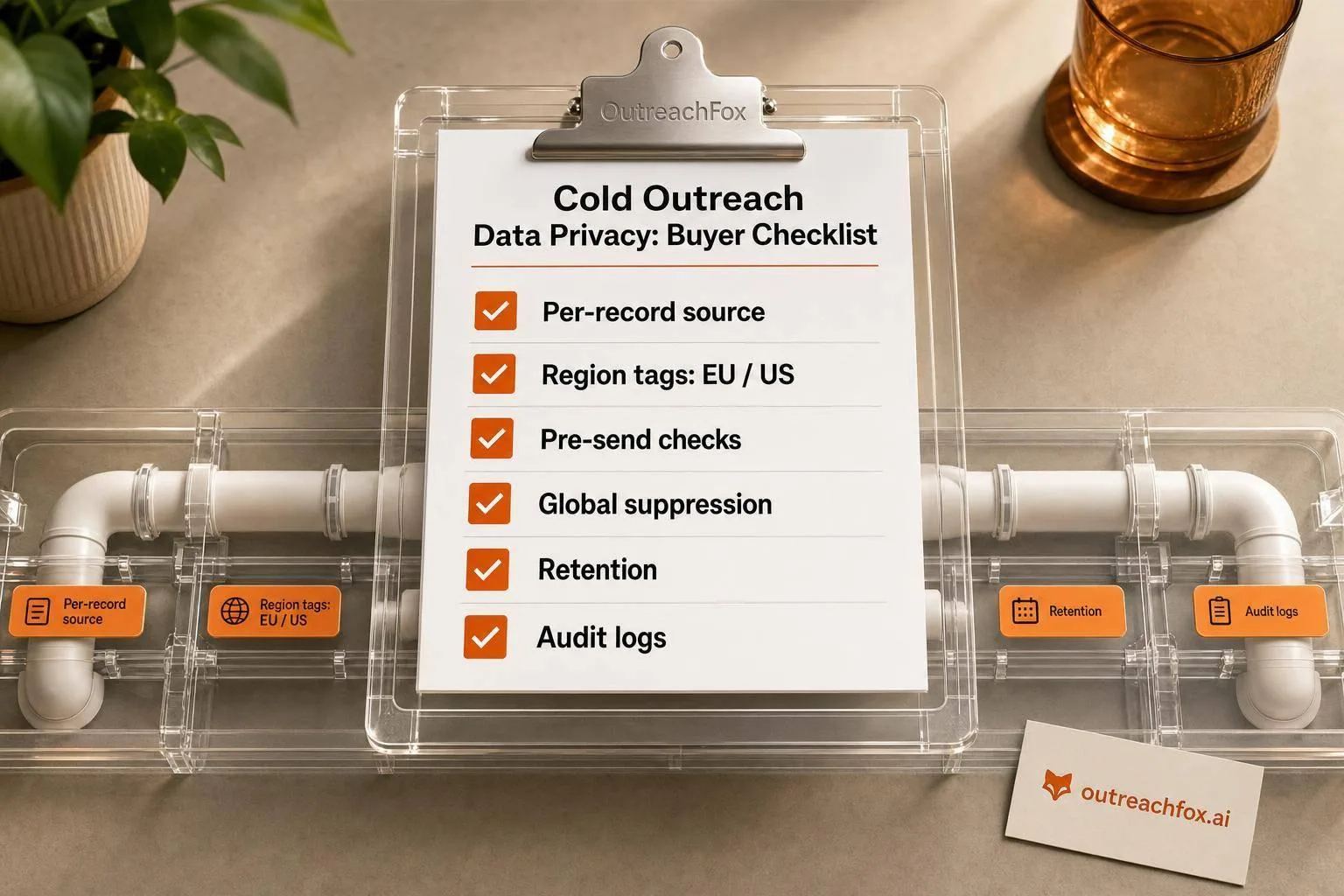
Most cold outreach privacy failures stem from four gaps: unverified data sources, broken opt-out flows, missing retention rules, and weak access controls. This checklist helps buyers audit vendors on source documentation, cross-channel supp
- Require record-level source documentation and region tags before importing contacts
- Enforce global suppression across email, LinkedIn, CRM, and enrichment workflows
- Implement written retention schedules with automatic purge rules for inactive records
- Demand timestamped audit logs for deletions, edits, suppressions, and exports
- Use role-based access controls and require DPA, SOC 2, and encryption proof
- Build vendor reviews into procurement with pass-fail checks on all four control areas
Cold Outreach Data Privacy: Buyer Checklist
Most privacy problems in cold outreach come from four weak spots: bad data sources, broken opt-out flow, no retention rules, and loose access. If I were reviewing an outreach vendor today, I'd treat any gap in those areas as a stop sign.
Here's the short version:
- I need record-level source history, not vague claims like "public data"
- I need region tags for U.S., California, EU, and UK contacts before any outreach starts
- I need email checks before send and one suppression rule across email, LinkedIn, CRM, and enrichment
- I need a written data retention plan with auto-delete or purge rules
- I need audit logs for opt-outs, edits, exports, and deletions
- I need role-based access, export controls, a DPA, and security proof
Why so strict? Because the cost of a weak process shows up fast: email bounce rates above 2% to 3% can hurt sender reputation, and privacy requests often come with legal deadlines. If I can't trace where a contact came from, show when it was suppressed, or control who exported it, I'm already behind.
My takeaway is simple: I wouldn't approve any vendor unless it can show source records, suppression across every channel, retention settings, and clear access limits in writing.
This checklist is about making that review simple, direct, and hard to dodge.
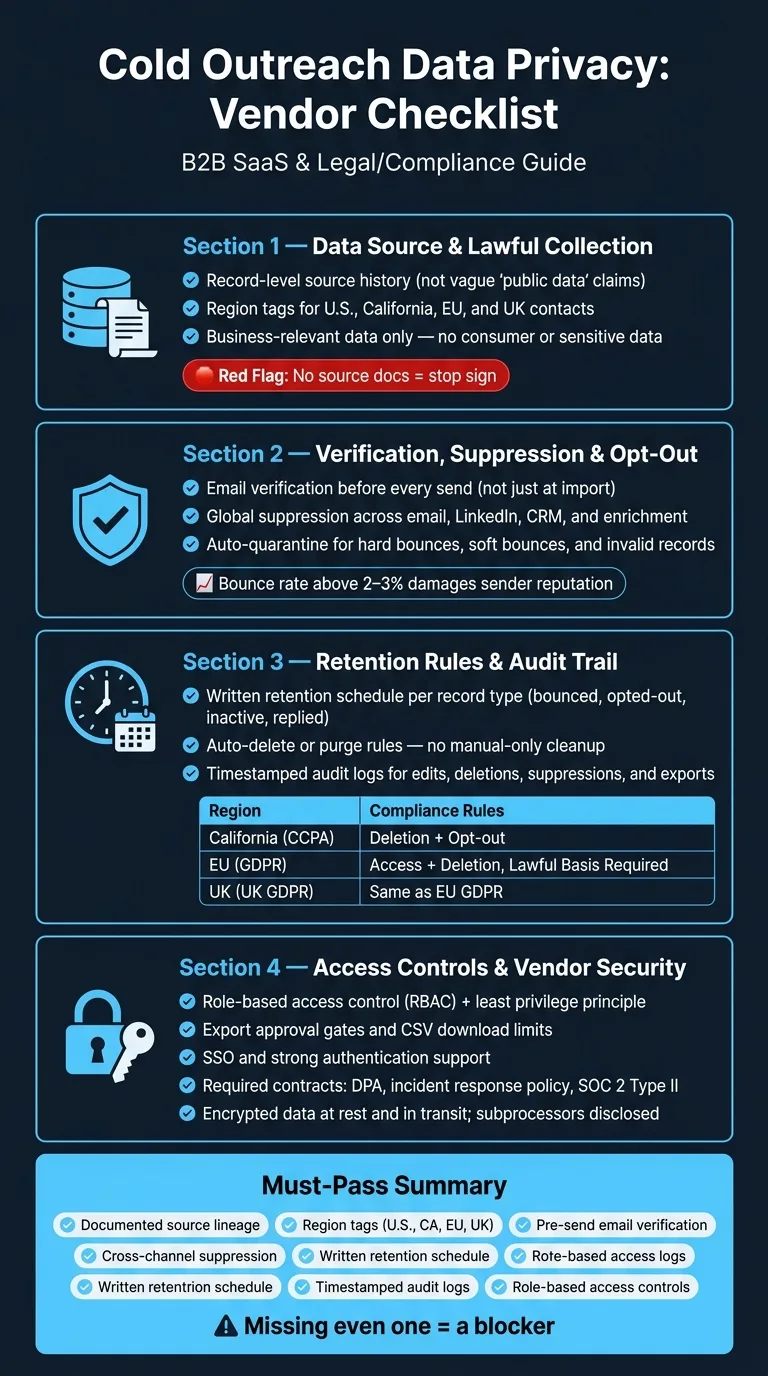
Checklist 1: Data Source and Lawful Collection
Can the Vendor Document Where Each Contact Came From?
The answer needs to be specific. "We source from public data" isn't enough.
You need per-record provenance: the source, how it was collected, when it was collected, and the legal basis for sharing it for B2B outreach.
Ask the vendor to separate data that was collected directly from a source from data that was derived by the system. That split matters. If it isn't documented, you don't have a solid audit trail. Some vendors can also provide source citations that link back to a verifiable origin. That's worth asking for.
Red flags to watch for: no original source documentation, no upstream provider details, and CSV exports with no metadata.
Can You Separate U.S., California, EU, and UK Contacts?
Privacy rules change by region. If you can't segment records by U.S., California, EU, and UK, you can't apply the right rules before outreach begins.
Require country or region tags at the record level before import. If a vendor's export doesn't include a reliable location field, that's a gap you need to fix before using the data.
Is the Data Appropriate for B2B Outreach?
Use only current, business-relevant contact data from permitted sources. If a dataset includes consumer or personal data, it's not fit for B2B outreach.
Check whether the vendor filters for business-use records only. Also confirm it can show the fields you need without pulling in unrelated personal details. If the dataset includes sensitive data, strip it before it enters your CRM and document the removal.
| Data Type | Appropriate for B2B Outreach | Action Required |
|---|---|---|
| Business-relevant contact data | ✅ Yes | Verify source, freshness, and relevance |
| Consumer or personal data | ❌ No | Remove from dataset |
| Sensitive data | ❌ No | Delete, document removal |
Once source and scope pass, move to verification and opt-out handling.
Checklist 2: Verification, Suppression, and Opt-Out Handling
Does the Platform Verify Emails Before Outreach?
Once the source is verified, the next step is simple: can the platform stop bad records before they reach outreach?
Old contact data creates two problems at once. It hurts deliverability, and it creates privacy risk. If you send to invalid or abandoned addresses, your bounce rate goes up, your sender reputation takes a hit, and you may be processing data that is no longer accurate.
Ask the vendor if verification runs before every send, not just during import. Also ask whether the system can automatically flag invalid and role-based records so your team can decide what happens next. You want verification before send and real-time bounce handling, so bad records get quarantined fast.
Are Opt-Outs Enforced Across Email and LinkedIn Workflows?
Verification means little if suppression stops at one channel.
A suppression list that blocks only email, or only LinkedIn, leaves a big gap. When someone opts out, that choice should follow the contact across your full outreach stack, not just the tool that received the unsubscribe.
Require global suppression. If a contact opts out in an email sequence, that same record should be blocked from LinkedIn touchpoints, CRM imports, and any later enrichment re-entry. In plain English: every system that could bring that contact back into outreach needs to respect the opt-out.
Ask the vendor to show this in a live test, not a slide deck. If they can't prove that a suppressed contact is blocked across channels, don't assume it works.
Can the System Quarantine Bad Records Automatically?
Manual cleanup falls apart over time.
If the platform can't automatically act on hard bounces, repeated soft bounces, or records marked invalid or role-based, then someone on your team has to clean that up by hand. Sooner or later, one gets missed.
Here's what a solid verification and suppression setup should cover:
| Capability | What to Ask the Vendor | Why It Matters |
|---|---|---|
| Email Verification | Does it verify before send, not only at import? | Prevents outreach to invalid or stale addresses |
| Global Suppression | Are opt-outs enforced across email, LinkedIn, CRM imports, and enrichment workflows? | Ensures consistent compliance across all channels |
| Bounce Logging | Are hard bounces automatically quarantined? | Protects sender reputation and preserves auditability |
For audit readiness, ask for timestamped logs for bounces, opt-outs, edits, and deletions. Without those logs, you can't prove when a record was suppressed or removed.
Checklist 3: Retention Rules, Regional Requirements, and Audit Trail
Do You Have a Written Retention Schedule for Outreach Data?
Once suppression is in place, the next issue is retention. In plain terms, retention decides how long data stays in your system.
A written retention schedule should spell out how long each record type stays on file. Bounced records, inactive prospects, opted-out contacts, and replied contacts should not all sit under one blanket timeline. Each one needs its own expiration date tied to a clear business purpose.
When that purpose ends, the data should go too. That could mean archiving it, anonymizing it, or deleting it for good.
When you review vendors, ask a simple question: Can the platform purge data automatically based on your own retention rules? Some tools support scheduled auto-deletion for records and outreach logs. That matters, because manual cleanup sounds fine on paper, but in practice, it often slips.
Can the Tools Log Deletions, Edits, and Suppression Events?
A retention policy only means something if you can prove it ran.
That's why every vendor in your stack should be able to show audit logs. You want logs for edits, deletions, suppressions, and exports, with timestamps and user IDs attached.
Be careful with vague entries. If a log only says "record updated", that's not enough. You need the timestamp, the user ID, and the event type. Otherwise, you're left guessing what changed and who did it.
Better systems let you export these events as CSV or JSON for internal review and privacy requests. That makes life a lot easier when legal, security, or an upset contact asks for proof.
Can Your Team Respond to Regional Privacy Requests on Time?
Regional rules set the clock. They also shape what action you need to take.
This is where region tagging pulls more weight than people expect. It's not just admin data sitting in a field somewhere. It's what helps the platform delete, suppress, or export the right records without forcing your team to sort everything by hand.
Here's the main rule map your outreach stack should support:
| Region | Main Rule Set | Deletion / Opt-Out Requirement | Impact on Outreach |
|---|---|---|---|
| California | CCPA | Support deletion and opt-out requests | Must suppress affected contacts across all workflows |
| European Union | GDPR | Support access and deletion requests | Requires lawful processing for EU contacts |
| United Kingdom | UK GDPR | Support access and deletion requests | Same core obligations as EU GDPR |
When you speak with a vendor, ask if the platform can filter by region and handle deletion or access requests without manual review. Then go one step further: ask them to walk you through exactly how a GDPR erasure request or a CCPA deletion request gets fulfilled from start to finish.
Checklist 4: Internal Access Controls and Vendor Security
Who Can View, Export, and Edit Prospect Data?
Once your source, suppression, and retention rules are in place, the next step is simple: limit who can touch the data.
Policies matter. But on their own, they don't stop mistakes. Platform controls do.
Use RBAC and least privilege. Each person should get only the access they need for their job. If someone changes roles, update or remove that access right away. Apply this across your full outreach stack, including CRM exports, CSV downloads, LinkedIn access, and campaign tools.
For agencies managing campaigns for more than one client, shared workspaces can create cross-client exposure risk. That's where things can go sideways fast. Set up workspace isolation so one client's prospect data can't be reached by another team because of a bad permission setting.
It's also smart to check whether the platform supports Single Sign-On (SSO) and strong authentication controls. For bulk exports or CSV downloads, ask if the platform can require approval before the action goes through. Export limits and approval steps help cut down accidental prospect data leaks.
Can the Vendor Enforce Your Suppression and Retention Policy?
Access control falls apart if the platform can't apply your rules on its own.
Look for platforms that let you set suppression lists, deletion rules, and retention windows and then enforce those rules automatically. You shouldn't have to rely on manual cleanup every time. Use APIs and webhooks to send suppression and deletion events into your own systems.
Require vendors to enforce suppression and retention through settings, APIs, and webhooks.
Do You Have the Right Contracts and Security Assurances?
After access rules, review the contract and the vendor's security baseline.
Before signing, require a DPA, an incident response policy, and SOC 2 Type II evidence.
Ask whether data is encrypted at rest and in transit. Ask whether subprocessors are disclosed. If the vendor relies on third-party enrichment providers or data sources, you need to know exactly who they are.
Vague answers are a red flag.
Snov.io is GDPR Compliant: Are You? Check Whether Your Cold Outreach Is LEGAL!
Conclusion: The Short List of Must-Pass Privacy Checks
Cold outreach privacy is a systems problem. A vendor privacy page doesn't mean much if the platform can't enforce suppression, deletion logs, and export limits.
Before approval, make sure these controls can be shown and checked:
- Documented source lineage
- Region tags for U.S., California, EU, and UK contacts
- Pre-send email verification
- Cross-channel suppression
- Written retention schedule
- Timestamped audit logs
- Role-based access controls
Missing even one item is a blocker.
Use the same pass/fail list in procurement.
Turn This Into a Vendor Review Worksheet
Turn this checklist into a procurement gate. Use it for every data provider, email platform, and LinkedIn tool before signing.
The questions in this article - about data lineage, suppression enforcement, retention windows, audit trails, and access controls - fit neatly into a vendor review worksheet. You can use one worksheet across enrichment, sending, and LinkedIn tools, or score each vendor on its own.
Either way, the goal is simple: use the same standard every time. That keeps reviews clear, cuts down on guesswork, and makes it much harder for weak privacy controls to slip through. For teams running multichannel outreach across email and LinkedIn, consistent privacy controls become even more critical since data flows across multiple platforms and touchpoints.
Frequently asked questions
What specific source documentation should a cold outreach vendor provide for each contact record?+
A vendor should provide per-record provenance that includes the original source, how it was collected, when it was collected, and the legal basis for sharing it for B2B outreach. Generic claims like 'public data' are insufficient. The vendor should separate directly collected data from system-derived data and ideally provide source citations linking back to a verifiable origin.
Why do cold outreach platforms need region tags for U.S., California, EU, and UK contacts?+
Region tags are essential because privacy rules vary significantly by location. These tags enable you to apply the correct compliance requirements before outreach begins, such as CCPA deletion rights for California, GDPR erasure requests for EU, and UK GDPR obligations. Without region-level segmentation, you cannot fulfill regional privacy requests efficiently or enforce location-specific suppression rules.
How should suppression lists work across different outreach channels?+
Suppression must be global and enforced across all channels including email, LinkedIn, CRM imports, and enrichment workflows. When a contact opts out through any channel, that suppression should automatically block them from all other outreach systems. A suppression list that only blocks one channel leaves compliance gaps and fails to honor opt-out requests consistently.
What should a written data retention schedule include for cold outreach?+
A retention schedule should specify how long each record type stays in the system, with different timelines for bounced records, inactive prospects, opted-out contacts, and replied contacts. Each timeline should be tied to a clear business purpose, and data should be automatically purged, archived, or anonymized when that purpose ends, rather than relying on manual cleanup.
What audit log details are necessary to prove compliance with privacy rules?+
Audit logs should capture edits, deletions, suppressions, and exports with timestamps, user IDs, and specific event types. Vague entries like 'record updated' are insufficient. The platform should allow export of these logs as CSV or JSON for internal review and privacy request responses, providing clear proof of when actions occurred and who performed them.
Why does email bounce rate matter for cold outreach data privacy?+
Email bounce rates above 2% to 3% hurt sender reputation and indicate you may be processing inaccurate or outdated data, which creates privacy risk. High bounce rates mean you're sending to invalid or abandoned addresses, which violates the principle of processing accurate data. Email verification before every send, not just at import, prevents these issues.
What access controls should be implemented for cold outreach prospect data?+
Implement role-based access control (RBAC) and least privilege principles, giving each person only the access needed for their role. Apply controls across the full outreach stack including CRM exports, CSV downloads, LinkedIn access, and campaign tools. For agencies, use workspace isolation to prevent cross-client data exposure, and consider requiring approval for bulk exports or CSV downloads.